


Organize Your Teaching with a Digital Teacher Planner

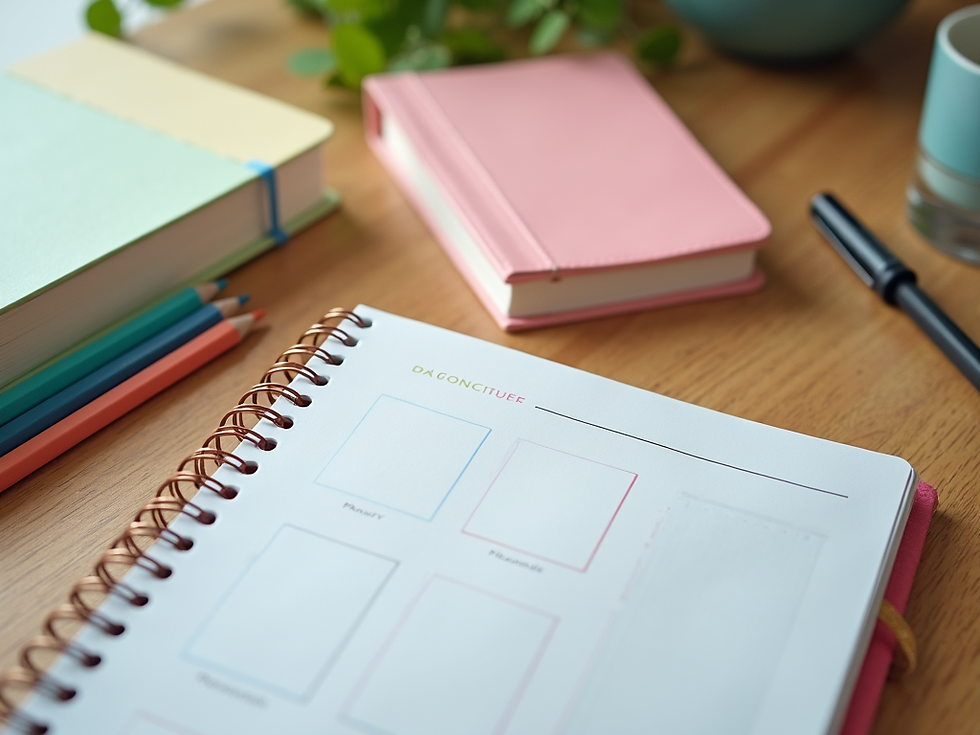
Teaching is a rewarding but busy job. Keeping track of lesson plans, student progress, and daily tasks can feel overwhelming. That is why I turned to a digital teacher planner. It helps me stay organized, save time, and focus on what matters most - teaching and inspiring students. If you want to simplify your teaching routine, a digital planner might be just what you need.
Why Choose a Digital Teacher Planner?
A digital teacher planner offers many benefits over traditional paper planners. First, it is easy to update and customize. You can add, move, or delete lessons and notes without crossing out or rewriting. This flexibility saves time and reduces stress.
Second, digital planners are accessible anywhere. Whether you are at school, home, or on the go, you can open your planner on a tablet, laptop, or phone. This means you always have your schedule and resources at your fingertips.
Third, digital planners often include helpful features like reminders, links to resources, and templates. These tools help you plan lessons faster and keep track of important deadlines.
Using a digital teacher planner also supports eco-friendly practices by reducing paper use. Plus, it keeps your teaching materials organized in one place, so you never lose important information.

How to Set Up Your Digital Teacher Planner
Getting started with a digital teacher planner is simple. Here is a step-by-step guide to help you set up your planner for success:
Choose Your Platform
Decide which device and app you want to use. Popular options include note-taking apps, calendar apps, or specialized teacher planner software. Pick one that feels comfortable and easy to use.
Create Your Main Sections
Organize your planner by creating sections such as lesson plans, attendance, grading, and notes. This structure helps you find information quickly.
Add Your Weekly and Daily Plans
Input your lesson plans for each week and day. Include objectives, activities, materials needed, and assessment methods. Use color coding or tags to highlight important tasks.
Include Student Information
Keep track of student progress, behavior notes, and contact information. This helps you personalize your teaching and communicate effectively with parents.
Set Reminders and Deadlines
Use built-in reminders to alert you about upcoming tests, meetings, or assignment due dates. This feature keeps you on track and reduces last-minute stress.
Customize and Update Regularly
Adjust your planner as needed. Add new templates, links to resources, or motivational quotes. Regular updates keep your planner fresh and useful.
By following these steps, you create a digital teacher planner tailored to your teaching style and needs.
Tips for Using a Digital Teacher Planner Effectively
To get the most out of your digital teacher planner, try these practical tips:
Plan Ahead but Stay Flexible
Outline your lessons at least a week in advance. However, be ready to adjust plans based on student needs or unexpected events.
Use Visuals and Colors
Highlight important tasks or subjects with colors and icons. Visual cues make your planner easier to scan and understand quickly.
Sync Across Devices
Ensure your planner syncs across all your devices. This way, you can update or check your plans anytime, anywhere.
Backup Your Data
Regularly back up your planner to the cloud or an external drive. This protects your work from accidental loss.
Involve Students
Share parts of your planner with students to help them understand the schedule and expectations. This promotes responsibility and engagement.
Review and Reflect Weekly
Set aside time each week to review your plans and student progress. Reflecting helps you improve your teaching and stay organized.
These tips help you maintain an efficient and stress-free teaching routine.

How a Digital Teacher Planner Supports Student Success
A well-organized teacher can create a better learning environment. A digital teacher planner helps you do just that by:
Providing Clear Lesson Objectives
When your lessons are planned clearly, students know what to expect and what they need to learn.
Tracking Student Progress
Keeping detailed records helps you identify students who need extra support or enrichment.
Managing Time Efficiently
With a planner, you can balance teaching, grading, and other tasks without feeling overwhelmed.
Encouraging Consistency
Consistent routines and lesson plans help students feel secure and focused.
Facilitating Communication
Notes and reminders about parent meetings or student concerns improve communication and collaboration.
By organizing your teaching with a digital planner, you create a structured and supportive classroom where students can thrive.
Finding the Best Digital Teacher Planner for You
There are many digital teacher planners available, each with unique features. To find the best fit, consider:
Ease of Use
Choose a planner that is intuitive and simple to navigate.
Customization Options
Look for planners that allow you to tailor layouts, colors, and sections.
Compatibility
Make sure the planner works on your preferred devices and syncs smoothly.
Support and Resources
Some planners offer tutorials, templates, and customer support to help you get started.
Cost
Consider your budget. Many free or low-cost options provide excellent features.
If you want a reliable option, check out this best digital teacher planner that combines ease of use with powerful tools designed specifically for educators.
Keep Teaching Organized and Enjoy the Process
Using a digital teacher planner has transformed how I manage my teaching day. It keeps me organized, reduces stress, and helps me focus on creating engaging lessons. With clear plans and easy access to resources, I feel more confident and prepared.
Remember, the key to success is consistency. Set up your planner, use it daily, and adjust as needed. Over time, you will find that organizing your teaching becomes second nature.
Start your journey with a digital teacher planner today and experience the difference it can make in your teaching life. You deserve a tool that supports your hard work and passion for education.
Happy teaching and planning!










It is very important to all teachers, students, and home school educators.